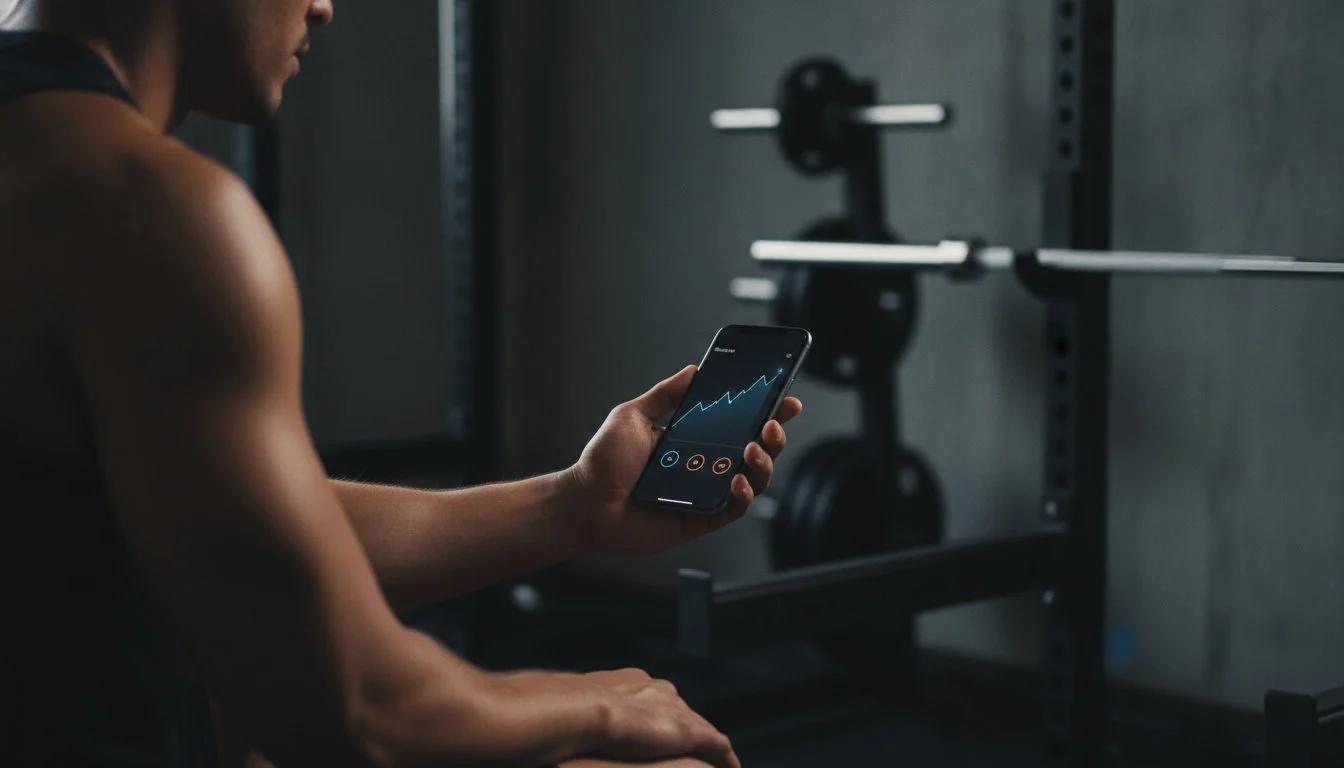
Why is your iPhone, a literal supercomputer, acting like a glorified paperweight in your gym bag? Most apps turn your workout into a social media circus, distracting you with feeds and notifications when you should be focused on the iron. You need a streamlined way to log lifting sessions iphone owners can actually manage between heavy sets without losing momentum. We know the frustration of clunky interfaces and subscription fatigue. Your training time is a finite resource; you shouldn’t waste it fighting an app just to add a custom exercise.
This guide promises to turn your device into a high-precision strength data hub with zero friction. You will master the art of minimalist tracking and learn how to build visual progress charts that actually prove your gains. We’ll show you how to leverage Apple HealthKit for a permanent data home while keeping your workflow fast and focused. It is time to stop guessing and start measuring. We are moving from manual chaos to data-driven dominance, ensuring your phone works as hard as you do on the platform.
Key Takeaways
- Eliminate digital friction. Strip away social feeds and notifications that kill your training momentum.
- Master efficiency. Learn to log lifting sessions iphone style by creating custom templates for your primary splits.
- Upgrade your data. Discover why Apple Health is a repository, not a tracker, and how to capture granular rep data.
- Streamline your workflow. Audit your current routine to remove the clutter and focus on high-impact strength movements.
- Prioritize speed. Use Weights Pro to experience a bloat-free logging environment with zero ads and maximum precision.
Why Your Current iPhone Workout Log is Killing Your Momentum
Friction is the silent killer of PRs. You’re between sets of heavy squats. Your heart is racing. You open your phone to log lifting sessions iphone style, but you’re met with a community feed of someone’s protein oatmeal. This isn’t a workout; it’s a distraction. Most fitness apps today suffer from massive feature bloat. They try to be a nutritionist, a social network, and a cardio coach all at once. This complexity creates friction. Friction leads to logging fatigue. When the interface is a maze, you stop recording data. You start eyeballing your weights. That’s where progress dies.
Every second spent fighting an interface is a second lost from your recovery. Manual calculations for plate math or total volume waste mental energy that should be reserved for your next set. You don’t need a social circle in the squat rack. You need a precision instrument. Stop hunting for buttons. Start lifting.
The Friction Problem in Standard Fitness Apps
Standard apps are designed for engagement, not efficiency. They want you to stay in the app longer. They hide your custom routines behind layers of menus. They force mandatory check-ins before you can even see your first exercise. This psychological cost is heavy. During high-intensity training, your cognitive load should be zero. Navigating a busy app during rest periods pulls you out of the zone. Standard apps fail because they prioritize:
- Social validation over training data.
- Engagement metrics over user speed.
- Flashy animations over functional utility.
A fast tool respects your time. It lets you enter data and get back to the barbell in seconds. If it takes more than three taps to record a set, the app is failing you. Efficiency is the only metric that matters when you’re under the bar.
Why “Good Enough” Logs Prevent Real Progress
Relying on your memory is a recipe for a plateau. Memory is a liar, especially when you’re under physical stress. If you can’t remember if you hit four reps or five last Tuesday, you can’t apply progressive overload effectively. Mastering the principles of strength training requires an obsession with accuracy. Inconsistent logging hides plateaus for weeks. You might think you’re moving forward, but the data would show you’re just spinning your wheels. A clean data environment is essential to log lifting sessions iphone users can rely on for long-term tracking. You need a permanent home for your numbers that doesn’t disappear when you switch phones. This is why Weights Pro was built. It provides a high-precision hub for your strength data without the unnecessary noise of modern fitness marketing.
The Mechanics of Frictionless Lifting Logs
Minimalist logging isn’t about doing less. It’s about doing what matters. It is the tactical removal of every digital hurdle between you and your progress. To effectively log lifting sessions iphone users must prioritize tools that value time above all else. This means leveraging haptic feedback for instant, tactile confirmation. It means using large numerical inputs that don’t require surgical precision. When you’re gasping for air after a heavy set of deadlifts, you shouldn’t be squinting at tiny icons or navigating complex menus. Speed is the only metric that matters when your phone is in the squat rack.
Input data quickly. Get progress charts instantly. This benefit-first approach ensures you stay focused on the iron rather than the screen. Immediate visual feedback on previous set performance is a non-negotiable feature. It tells you exactly what you need to do to achieve progressive overload. You don’t have to guess. You don’t have to remember. You just execute. If your current tool feels like a chore, trying a minimalist tracker could be the shift you need to break your next plateau.
The Two-Tap Rule for Gym Efficiency
The workflow should be a reflex. Select your exercise. Enter your weight and reps. Hit save. The Two-Tap Rule is the benchmark for iPhone logging speed where you record a set with exactly two intentional interactions. Auto-filling previous set data is essential for this speed. It provides a target. You don’t waste time typing the same numbers every single set. The app remembers your last performance. You just confirm the victory and move to the next set. This streamlined process keeps your heart rate up and your focus sharp.
Visualizing Progress Without the Clutter
Numbers are the raw material, but charts are the finished product. Simple volume and 1RM (One Rep Max) charts turn a list of sets into a clear roadmap of success. Visual data identifies trends that raw numbers might miss. Are you stalling on Mondays? Is your volume dipping on leg day? A literal upward curve in your history provides a massive motivational boost. It validates the scientific health benefits of your resistance training program. You aren’t just working out. You are building a legacy of data that proves your growth. To log lifting sessions iphone style means turning your phone into a high-precision hub that celebrates every added pound on the bar.

Apple Health vs. Dedicated Strength Apps
Apple Health is a vault. It is a massive, secure repository for your physiological data. It tracks your sleep, your heart rate, and your steps. But a vault is not a coach. To effectively log lifting sessions iphone users need a logic layer that understands the nuances of resistance training. Native tools are designed for the masses. They are built for runners and casual walkers who want to close their rings. They lack the granularity required for serious barbell work. You cannot track specific plate loading. You cannot calculate your one-rep max on the fly. You are left with a generic “Strength Training” label that tells you nothing about your actual performance.
Dedicated apps provide the intelligence that native storage misses. Your tracker should be your training partner, not just a digital notebook. It needs to understand the relationship between volume, intensity, and recovery. While Apple Health stores the raw numbers, a specialized app interprets them. Integration remains vital. Your dedicated tool must feed data back into the Apple ecosystem, ensuring your “Strength Training” ring closes while you maintain a detailed record of every rep. If you want results, you need a tool that speaks the language of the gym.
Native Apple Fitness Limits for Lifters
The basic Apple workout app is a generalist tool. It lacks custom routine planning. You cannot build a specialized split or pre-set your target weights. Tracking progressive overload over months becomes a manual nightmare in a generalist interface. The UI is designed for constant movement, making it clunky to record specific sets during a rest period. You need a dedicated environment where your primary lifts are front and center. A general fitness interface is a distraction. A specialized log is a weapon.
Why Minimalist Apps Win the Weight Room
Specialized strength apps offer “No-Nonsense” utility. They are built by lifters for lifters. They prioritize offline functionality. This is critical for basement gyms or crowded clubs where cellular signal dies. You should never lose a PR because of a weak Wi-Fi connection. Using iCloud Sync for Gym Data provides a critical safety net. Your progress is backed up automatically without social media bloat. This ensures your data is always safe, always accessible, and always accurate. When you’re ready to take your training seriously, switching to a dedicated pro tool is the most efficient move you can make.
Setting Up Your Perfect iPhone Logging Workflow
Optimization is the difference between a casual workout and a professional training session. To log lifting sessions iphone users must treat their logging workflow like a high-performance checklist. It starts with a brutal audit. If an exercise isn’t contributing to your specific goal, it is noise. Strip your routine down to the essential compound movements and high-yield accessories. This minimalist foundation ensures your data remains clean and actionable. Once you’ve trimmed the fat, you can build a system that works as hard as you do.
Your workflow needs to be automated and resilient. Pre-configure your primary splits so you never have to search for an exercise while your heart rate is elevated. Set realistic rest timers within your app to maintain the intensity of the session. Finally, ensure your data is backed up. Your training history is a legacy of your hard work. It should be accessible across all your iOS devices without manual intervention. If you are ready to take control of your data, get started with Weights Pro today.
Building Custom Routines for Speed
Speed in the gym is about preparation. Name your routines for instant identification: “Monday – Heavy Push” is better than “Workout 1.” This clarity allows you to launch your log the second you touch the barbell. Use “Placeholder” sets for days when you need flexibility. This allows you to swap a barbell bench press for dumbbells without breaking your data chain. For a deeper look at structuring your training, check out the Best Workout Routine Planner App: Master Your Training guide. A well-structured routine is the blueprint for consistent progress.
Leveraging iCloud Sync and Offline Access
Your lifting sessions shouldn’t depend on a cellular signal. Basement gyms and industrial warehouses are notorious for dead zones. A professional log must offer full offline functionality, allowing you to record every rep regardless of your connection. Once you’re back on Wi-Fi, the “Set it and forget it” nature of iCloud sync takes over. It provides the peace of mind that comes with automatic cloud backups. Your data is safe, synced, and ready for analysis on your iPad or Mac. This seamless integration ensures your focus remains on the weight, not the technology. To log lifting sessions iphone style means demanding a tool that is as reliable as your own grit.
Weights Pro: Built for Precision and Speed
Weights Pro is the antidote to modern app bloat. Most developers think you want a social network in your pocket while you’re grinding out reps. They are wrong. You want precision. You want speed. Designed in Riga, Latvia, for athletes who demand efficiency, this app strips away the noise. It is the ultimate tool to log lifting sessions iphone users can trust when every second counts. There are zero ads. There are zero social feeds. It is just you, the barbell, and your data. We built this for the lifter who treats the gym like a laboratory, not a lounge.
Efficiency is the only metric that matters when you’re under the bar. We have engineered every interaction to be as fast as possible. You don’t have to navigate through layers of “community content” to find your squat routine. You open the app, hit your sets, and get out. This streamlined approach ensures your momentum stays high and your distractions stay low. By focusing on the core mechanics of strength training, we provide a high-precision hub that turns raw numbers into a roadmap for growth.
Zero Ads, Total Focus
A distraction-free interface is a performance enhancer. When your heart rate is 160 BPM, you don’t have the mental bandwidth to close pop-ups or dodge “suggested friends.” Weights Pro acts as an efficient guide, offering a no-nonsense utility that respects your focus. The visual data charts turn your raw numbers into actionable insights instantly. You see the volume trends. You see the estimated 1RM growth. You see the results of your discipline without the clutter. It is built by lifters who understand that the gym is for work, not scrolling. This bold innovator approach ensures that the app remains a tool, never a distraction.
The Lifetime Advantage for Serious Lifters
Subscription fatigue is a real hurdle for modern athletes. Many apps force you into perpetual payments, holding your history hostage behind a monthly fee. Weights Pro offers a different path. Choose the plan that fits your journey: Weights Pro Monthly, Weights Pro Yearly, or Weights Pro Lifetime. The Lifetime option represents the ultimate commitment to your strength goals. It is the last gym log you will ever need. You pay once. You own your data forever. This eliminates the friction of recurring billing and ensures your training hub is a permanent fixture in your arsenal. It is time to stop renting your progress and start owning it. To log lifting sessions iphone style is to choose a tool that values your long-term success over short-term engagement metrics.
Start logging your gains with Weights Pro today.
Take Command of Your Training Data
Stop letting clunky apps and social distractions hijack your training momentum. You have learned that effective progress requires a zero-friction environment and a dedicated logic layer that Apple Health simply doesn’t provide. By auditing your routine and building streamlined templates, you turn your device into a high-precision instrument. It’s time to log lifting sessions iphone style, prioritizing speed and clarity over community feeds and advertisements. Precision is the foundation of every PR. You don’t need more features; you need better data.
Weights Pro is engineered for this exact purpose. Experience a streamlined iOS design that respects your time and keeps you under the bar. With seamless iCloud synchronization and visual progress charts, your gains are always backed up and easy to analyze. Take advantage of the lifetime purchase option to end subscription fatigue forever. Download Weights Pro and start logging your sessions today. Your future self will thank you for the data you capture right now. Stay focused. Stay disciplined. Keep pushing the limits of what’s possible.
Frequently Asked Questions
How do I log my gym workout on my iPhone efficiently?
Use a minimalist app that supports the Two-Tap Rule to record sets instantly. Focus on pre-built templates for your primary splits to avoid searching for exercises during rest periods. This ensures you spend your time lifting rather than scrolling through menus. Efficiency comes from a distraction-free interface that prioritizes speed and data precision over social engagement. You need a tool that respects your rest intervals and keeps your momentum high.
What is the best minimalist workout tracker for iOS?
Weights Pro is the premier choice for athletes who value a bloat-free environment and technical precision. It eliminates social feeds and ads to provide a streamlined utility built specifically for strength training. By focusing on essential data like volume and intensity, it serves as a high-precision hub for serious lifters. It is the ultimate tool to log lifting sessions iphone users need for maximum gains without the unnecessary noise.
Can I track progressive overload data on my iPhone?
Yes, dedicated strength apps allow you to monitor volume and one-rep max trends over time. These visual progress charts identify plateaus that raw numbers might miss, giving you the logic required for consistent growth. You can see your literal upward curve across weeks and months. This data-driven approach ensures you are actually applying progressive overload instead of just guessing in the weight room. Precision leads to power.
Is there an iPhone workout log that works offline?
Weights Pro offers full offline functionality to ensure you can log lifting sessions iphone style even in basement gyms or cellular dead zones. You should never lose a personal record because of a weak signal. The app records your data locally and syncs it once you reconnect to a network. This reliability is a non-negotiable feature for serious athletes training in industrial environments or crowded clubs. Your data stays safe regardless of your connection.
How do I sync my weightlifting data across my Apple devices?
Use an app that leverages iCloud synchronization to keep your data accessible on your iPhone, iPad, and Mac. This set it and forget it management ensures your training history is always backed up and ready for analysis. Your data moves seamlessly between devices without manual exports or confusing menus. It provides a secure, permanent home for your strength data within the Apple ecosystem, allowing you to review gains on any screen.
Why should I use a dedicated lifting app instead of the Notes app?
Dedicated apps provide a logic layer and automatic calculations that the Notes app cannot replicate. While Notes is just generic digital paper, a specialized tracker calculates volume, provides rest timers, and generates progress charts instantly. It removes the mental burden of manual plate math. You get professional-grade insights and historical comparisons that a simple text file will never offer. Stop using tools meant for grocery lists to track your legacy.


